
At fifty people, any timesheet works. At five thousand, the tool is almost never what fails. The chasing fails, the approvals stall, and half the week goes unrecorded — until the numbers are too soft to make a decision on.
PPM Express Time is a enterprise time tracking software, built for organizations running 500 to 10,000+ timesheet users. Project time, non-project and non-working time in one timesheet, with reporting periods you control, approvals that route themselves, and a dedicated report pack.
Time is included in every plan, with unlimited users.


Enterprise time tracking rarely dies of a bad interface. It dies of a governance gap, and it dies the same way every time.
Almost none of that is a timesheet problem. It is a governance problem wearing a timesheet costume, and it is why time tracking for thousands of people is a different purchase from time tracking for a team, not a bigger one.
Everybody fills it in, because everybody is watching. The rollout looks like a success and the project closes.
Nobody chases, because chasing three thousand people by email is nobody's actual job description.
At 60% coverage a director opens a utilization report, finds their own team wrong, and stops trusting the source.
People notice that nobody looks. Submission rates fall again, and now the decline is self-reinforcing.
Which is exactly what everyone was doing before the tool was bought.
If people can only record project work, then the two weeks somebody spent on parental leave look identical to two weeks of doing nothing. Across a few thousand people that is not a rounding error. Utilization comes out structurally understated, and every capacity conversation turns into an argument about the data instead of a decision about the work.
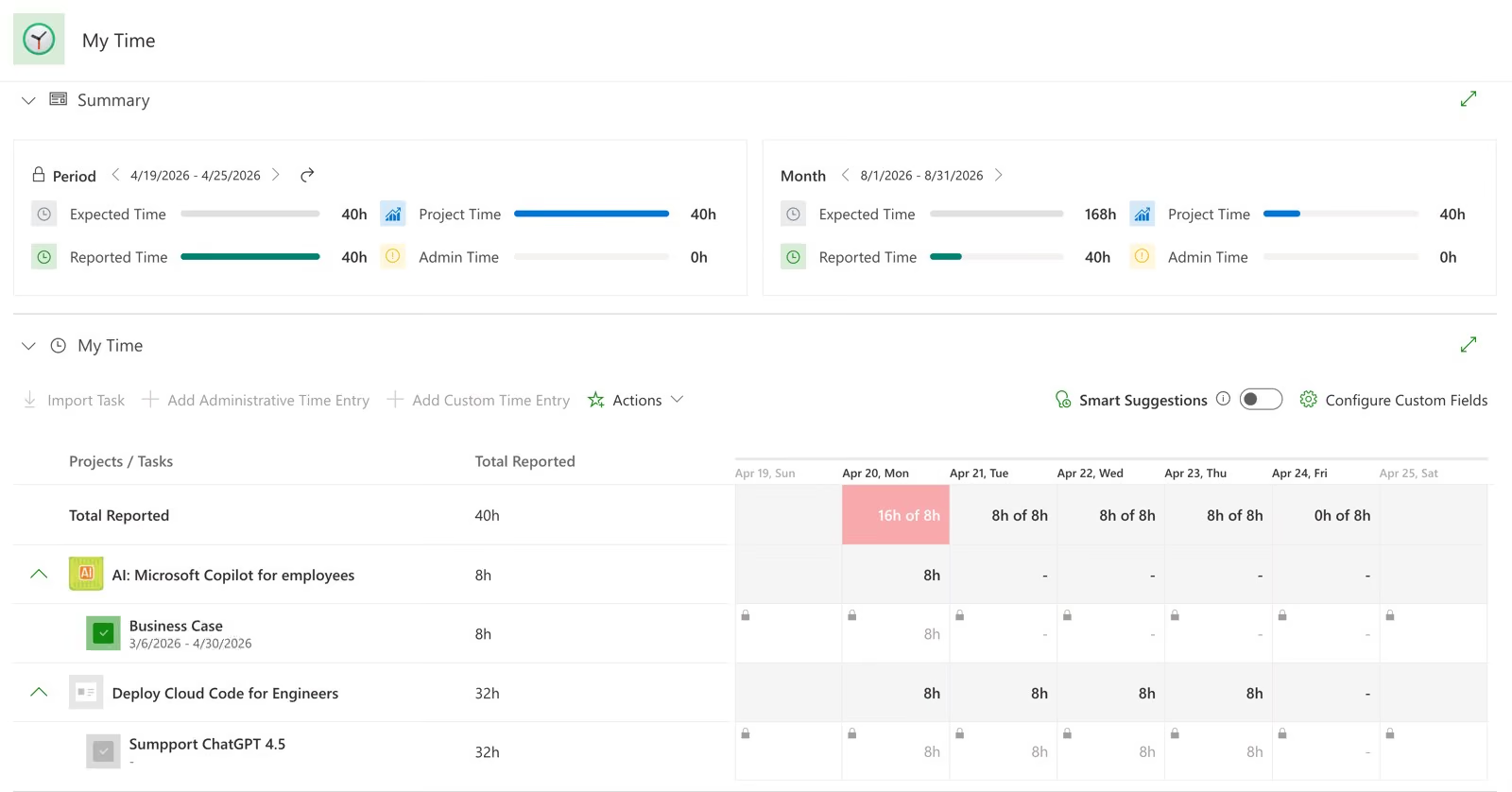
Against the task, the normal case. Assigned tasks can arrive on the timesheet already listed, so the week starts populated rather than blank.
Real work often has no ticket. A custom entry books time to the project without creating a task on it, so the hours are attributed correctly and the project plan does not fill up with administration.
Internal work that belongs to no project. Categories are defined centrally by administrators, so three thousand people choose from one list instead of inventing their own.
A category type in its own right, not a workaround. Sick Leave, Vacation, OOF, Business Travel and PTO ship as defaults and you can add your own.
This is what makes the denominator honest. Capacity minus absence is the only version of utilization a delivery director will defend in front of their own managers.
This records absence on a timesheet. It is not leave management: no balances, no accruals, no holiday calendars and no booking time off in advance. If HR owns absence, PPM Express reports it rather than replacing it.
Here is the arithmetic that kills most enterprise rollouts. Three thousand people, matrixed across projects, is tens of thousands of approval routes. Maintain that by hand and it is out of date within a month. Requests land on the wrong people, get rubber-stamped to clear the queue, and the sign-off becomes theatre.
Administrative time goes to the person's direct manager. Project time goes to the project manager who owns that project. The route is derived from the work itself, so it is still correct on the day a project changes hands, and there is no matrix for anyone to maintain.
Where a project has several managers they all receive the request and any one of them can resolve it, so one person on holiday does not hold up a month-end close.
A comment is mandatory on rejection and it reaches the submitter by email. People are told what to fix instead of guessing, which is the difference between one correction cycle and three.
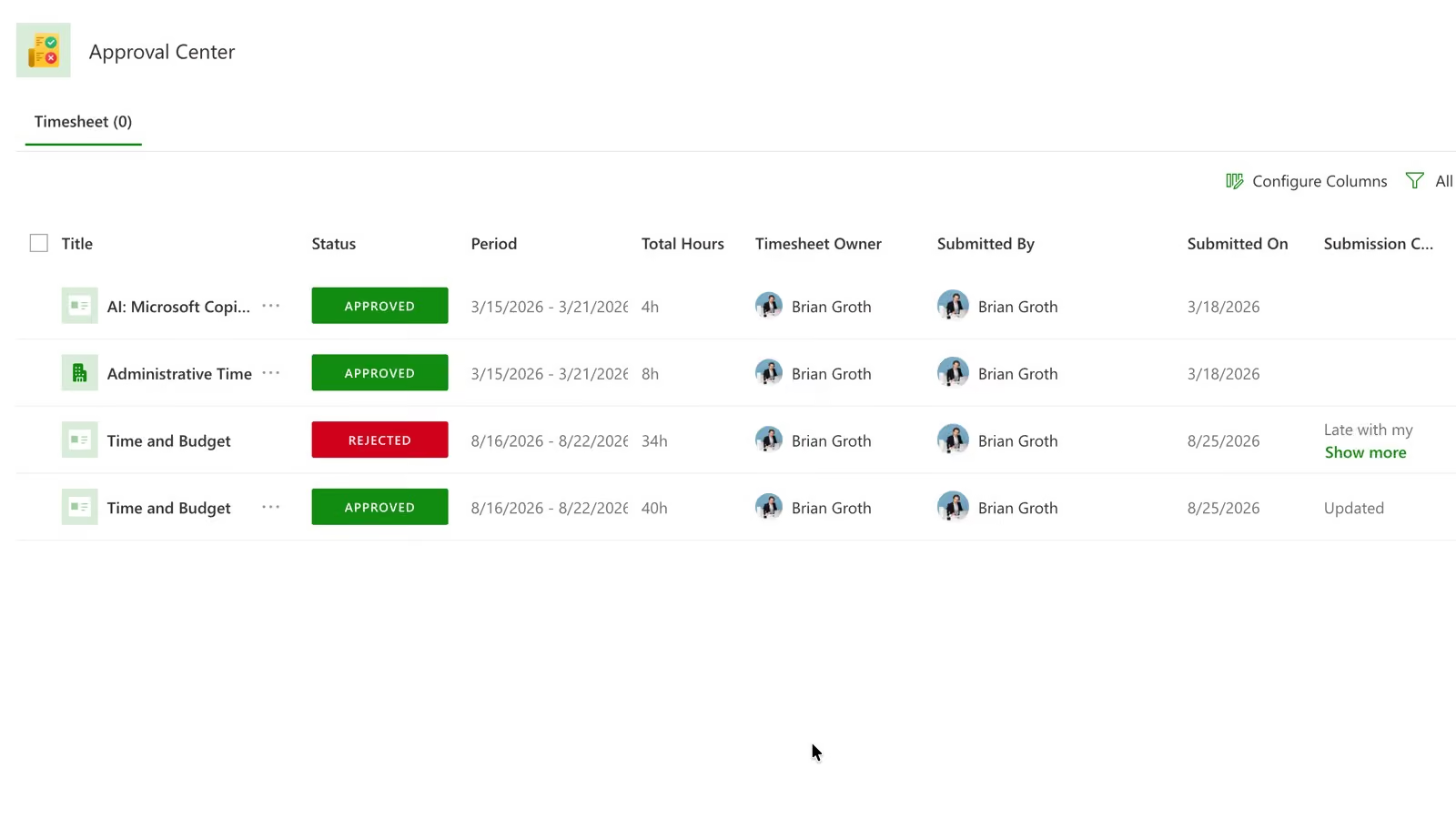
Pending timesheets can be pulled back. So can approved ones, always by administrators and by managers if you allow it, so a month-end correction does not need a support ticket.
Reminders to submit, overdue reminders, approval and rejection notices, and a separate reminder schedule for approvers with its own overdue alerts. At this size the chasing is the job, and it is the part that should never be a person with a spreadsheet.
Draft, In Progress, Pending Approval, and then Approved or Rejected. Every timesheet in the organization is in exactly one of those five states, which is what makes a compliance report possible in the first place.
Approval is a single stage. Several managers can receive a request in parallel, but there is no second-level sign-off, no escalation chain and no delegated approver. If your finance function requires two-step approval before hours reach cost, raise it early in an evaluation.
Finance cannot use time data that can be edited after they have reported on it. The control that matters is not who can enter time. It is who can change last quarter, and whether anyone would notice.
Set by start date and length, up to 366 days, so weekly, fortnightly, monthly or a fiscal calendar that matches nobody else's all work the same way.
Periods run in strict chronological sequence, cannot overlap and cannot leave gaps between them. There is no quiet week in the year that nobody was asked to report against, which is exactly the hole an auditor goes looking for.
An open period accepts entries and edits. Closing it locks both. Only administrators can create, close, reopen or delete a period, and a period that already has time reported against it cannot be deleted at all.
Bulk creation generates the whole calendar with a prefix, a starting sequence number and a suffix, so naming stays consistent across hundreds of periods. Approval can be required as they are created, or applied across existing periods afterwards.
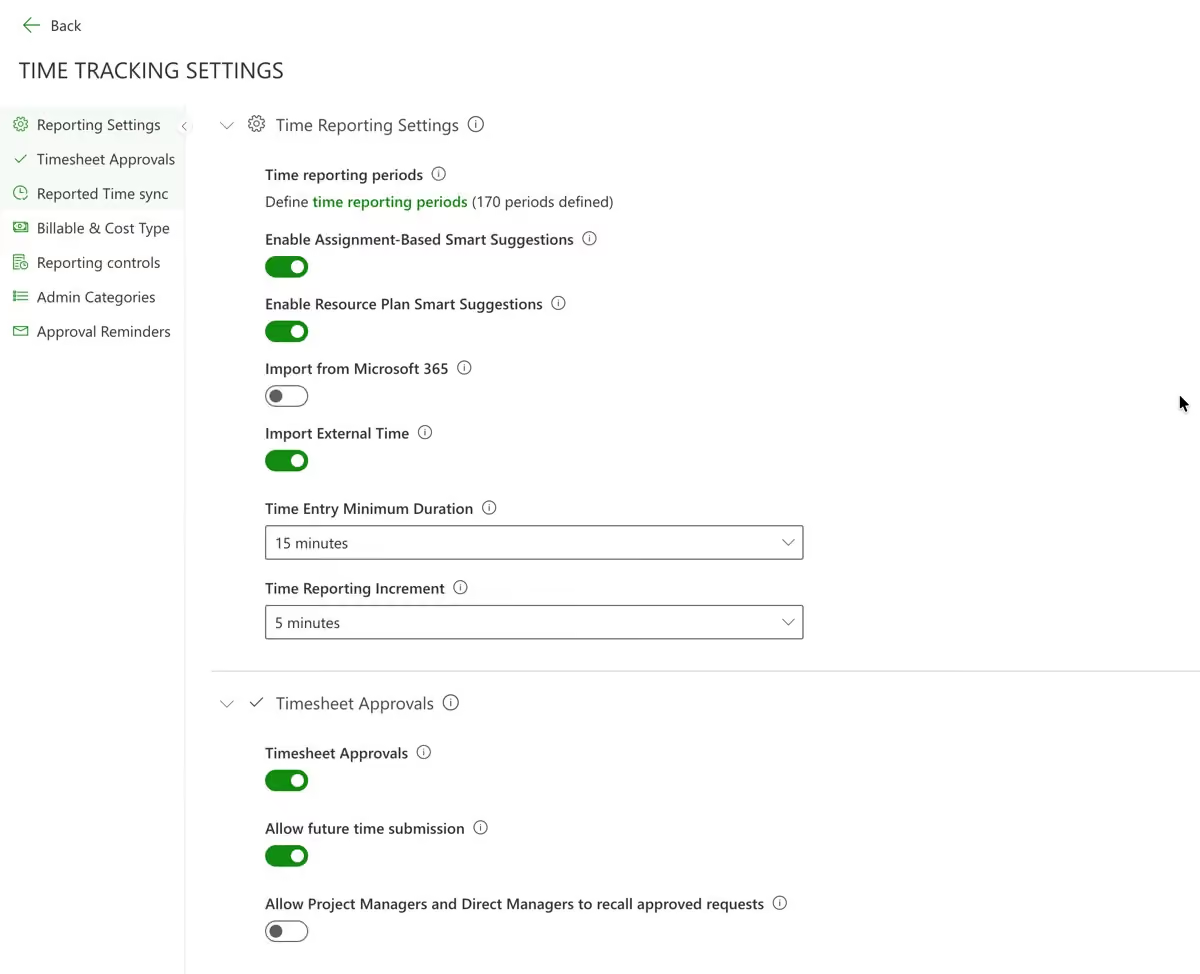
Compliance is not a report you build once. At three thousand people it is a weekly operational routine, and if producing the list needs a data analyst, it will not happen twice. PPM Express ships a dedicated Time report pack in six groups for exactly this.
One row per timesheet. This is the Monday morning report: who is outstanding, right now, without anyone building anything.
One row per timesheet line, splitting project-related time from administrative time, for when the question is what was reported rather than whether.
One row per approval request, for when the delay is approvers rather than submitters. At scale, it usually is approvers.
Built for analysing reported entries across applications and explicitly designed to be taken into Excel, because at this scale somebody always needs it in Excel.
Reported Time against Expected Time, Performance and Difference, Resource Plan Committed Time, and Variance in both hours and percent. Project reporting splits Task Time, Custom Time and Project Time; administrative reporting splits non-project from non-working.
Each entry can carry a billable flag and a cost type of CAPEX or OPEX, set by policy or overridden by the person, and both are available to drill into. That is where capitalization evidence comes from.
Resource utilization reporting lives in the Resource Management pack rather than the Time pack, and compares capacity against committed work rather than against reported hours. And while billable is a flag you can report on, there is no bill-rate calculation turning billable hours into revenue.
Every hour that requires someone to remember what they did last Tuesday is an hour of guessed data. The realistic goal is not discipline. It is making the week easy to confirm rather than hard to reconstruct.
The My Time page, the Project Tasks page, and My Space, so time can be logged from the timesheet, from the work itself, or from a personal dashboard.
Where somebody has planned hours on a project, the plan can seed their timesheet with an entry ready to complete. Reported time can then be written back so resource plan actuals recalculate from what happened rather than what was forecast.
Completed and sent Outlook mail, Outlook tasks, calendar events including tentative ones, and recently used documents can be turned into draft entries to confirm. For the person filling in Friday's timesheet on Monday, that is the difference between recall and evidence.
Create, read, update and delete time entries and administrative categories programmatically, in bulk, and post on behalf of another resource. That is the route in when a system elsewhere already owns the hours for part of the workforce.
Time tracking that ends at the timesheet is an administrative tax. The point is what the hours change once they are reliable enough to act on.
Reported time can update Completed Work on the task, and you can require that only approved time synchronises, so a plan is never rewritten by hours a manager has not yet accepted.
Reported time can recalculate resource plan actuals, closing the loop between what you planned somebody would do and what they actually did.
Those two values are what the financial reports multiply by resource cost and charge rates to produce actual cost and actual charge. Switch the synchronisation on and cost actuals stop being a separate spreadsheet exercise.
Both synchronisation settings are off by default and are turned on deliberately. That is the right default, since nobody wants timesheets rewriting project plans in week one, but it does mean this is something you switch on rather than something that simply happens.
Time tracking only works if everybody is in it. Contractors, occasional contributors, the person who books four hours a month: leave them out and the denominator breaks and the data stops being usable.
Which makes the pricing model strategy rather than detail. A per-seat vendor charges you more precisely as you approach the coverage that makes the data worth having.
A time module at $10 per user per month is $360,000 a year. At $6 it is $216,000. Those are illustrative figures at common price points rather than a quote from any named vendor, but the shape is the point: the line grows with adoption.
Zero marginal cost. Time tracking is included on every plan with unlimited users and unlimited guests, and there is no per-seat component anywhere in PPM Express pricing.
At 300 people, included time tracking is a nice-to-have. At 3,000 it is the difference between rolling out to everybody and rolling out to the people you can justify paying for, which is the same as not rolling out at all.


Scale, approval routing, absence, reporting periods and what it costs per person.
It is built for it, and the pricing assumes it: unlimited users and unlimited guests on every plan, with no per-seat component anywhere. The features that matter at that size are the unglamorous ones. Reporting periods generated in bulk with a consistent naming convention, administrative categories defined once centrally, approvals routed automatically from the work rather than from a matrix somebody maintains, and an API that creates entries in bulk and on behalf of other resources.
It routes by the type of time. Administrative time goes to the person's direct manager, and project time goes to the project manager who owns that project. Nobody maintains an approval matrix, and the routing is still correct the day a project changes owner. Where a project has several managers, all of them receive the request and any one can resolve it, so a single absence does not stall a month-end.
Yes, and at scale it matters more than it sounds. PPM Express has administrative categories with a category type called Non-working Time, and it ships with Sick Leave, Vacation, OOF, Business Travel and PTO already defined. Without that, absence is invisible and every utilization figure is understated. It records absence on the timesheet; it does not replace an HR system that manages leave balances.
Administrators define them by start date and length, up to 366 days, so weekly, fortnightly, monthly or a fiscal calendar all work. Periods cannot overlap, must run in strict chronological order, and cannot leave gaps, so there is no unreported week in the year. Open periods accept time and edits; closing a period locks both. A full year can be generated in one bulk operation.
Draft, In Progress, Pending Approval, Approved and Rejected. A rejection requires a comment, which is emailed to the submitter, so people are told what to fix rather than left guessing. Pending timesheets can be recalled, and approved ones can be too, always by administrators and by managers if you enable it.
Time is recorded against a task, or against a project with no task where the work never got a ticket. Resource plans connect in both directions: planned hours can seed somebody's timesheet with a project entry ready to complete, and reported time can be written back so resource plan actuals recalculate from what actually happened.
A dedicated Time report pack ships with the product in six groups. Timesheet Status Summary gives a row per timesheet, which is the weekly chase list. Timesheet Status Details breaks it down by line, Timesheet Approval Requests shows where approvals are stuck, and the Time Entries Registry is built for analysis in Excel. Measures include Reported against Expected Time, Performance, Resource Plan Committed Time and Variance in hours and percent.
Two ways. People can import their own Microsoft 365 activity, including completed and sent Outlook mail, Outlook tasks, calendar events and recently used documents, and confirm it rather than reconstruct the week from memory. And the API can create, update and delete entries in bulk, including on behalf of another resource, if a system elsewhere already owns the hours.
.svg)


