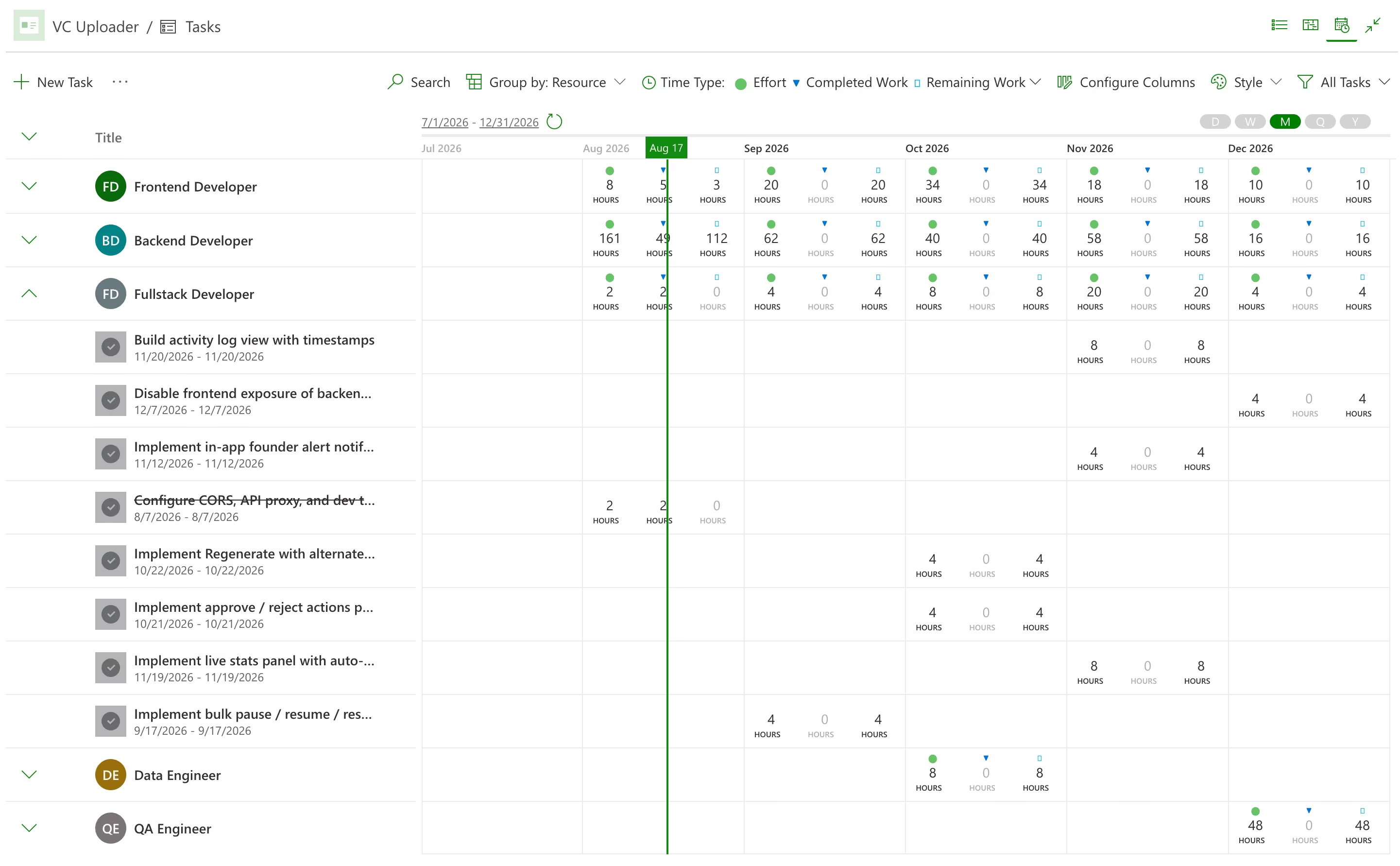
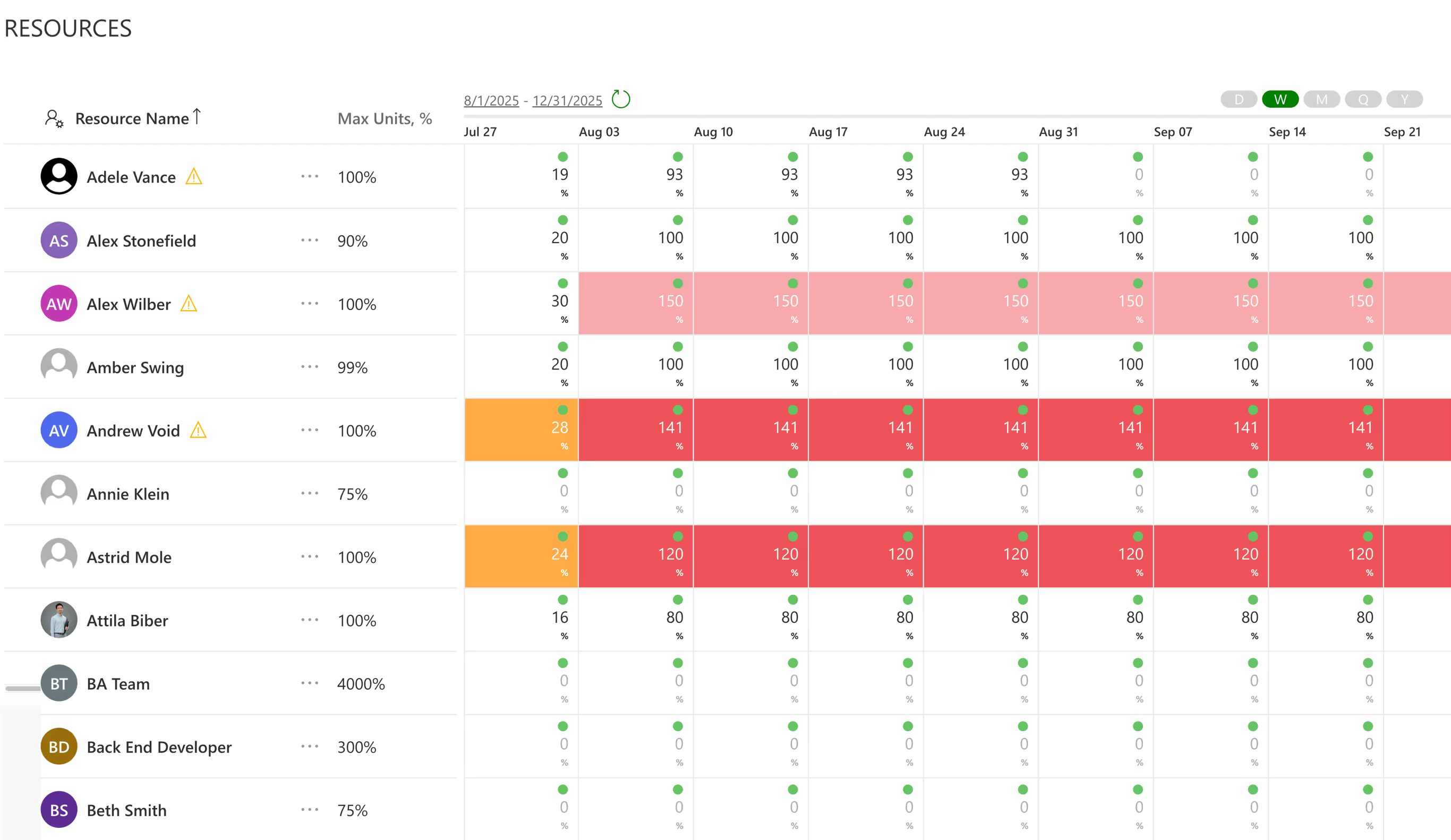
Resource planning software exists to make that failure visible while it is still a proposal. PPM Express calculates each person's capacity from their work week and calendar exceptions, then shows allocation against it in hours, percent or FTE. Overallocation is color-coded, so a plan needing more of somebody than exists is obvious before anyone commits to it. Resource capacity planning and utilization sit in the same view: planned effort, actual hours from time tracking, availability and what is left. You can filter by role, department or skill, which is usually how the constraint reveals itself.
.avif)



250

100 hours

100K+

EU & US


.avif)





Streamline Project Portfolio Management and Visibility at Scale
Integrations


Capture new project request, streamline evaluation and prioritization
Product

Structured Approach for prioritizing and aligning portfolios with strategic priorities and resource constraints
Product
Last updated 20 August 2026


Resource Management, answered.
A tool for matching the people you have against the work you have committed to. The useful ones calculate real capacity rather than assuming a headcount, show what is already allocated, and flag conflicts before a plan is approved instead of reporting them afterward.
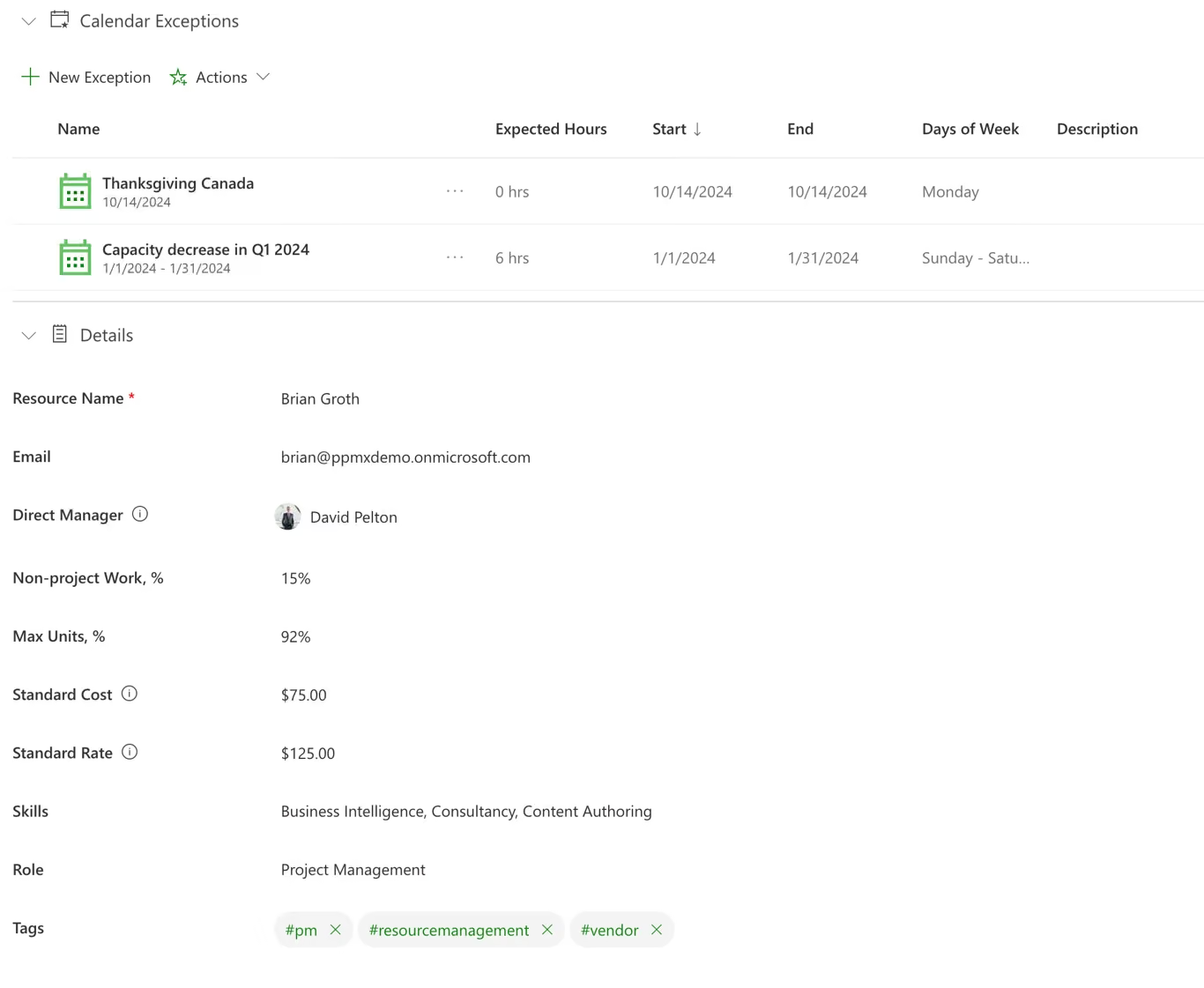
From each person's work week and their calendar exceptions, run through one formula: work hours × Max Units % × (100 − Non-project Work %). Max Units caps how much of a person's time can be planned — over 100% to model a role as a team, under 100% for part-time. Non-project Work % reserves the slice that goes to admin, support and meetings before anything is available for project work. Shift patterns, part-time arrangements, holidays and shutdowns are reflected rather than averaged away. It is the difference between a capacity number you can put in front of a business unit and one that gets argued with.
Capacity is what a person has available. Allocation is what has been committed to them. Utilization is the relationship between the two, and the one leadership usually asks about. PPM Express shows planned, capacity, actual and availability together so the comparison does not have to be done in your head.
Yes, and it is usually the right sequence. Generic resources let you plan by role and set maximum units, so a marketing resource can be modeled at 300 percent to represent three people. When the plan firms up you assign named people and set individual values. Resources start in a proposed state and are committed when the decision is made.
Hours, percent, FTE or chart view, whichever suits the conversation. Hours work for a delivery lead, FTE works for a finance partner, and being able to switch without exporting anything removes a surprising amount of friction from resource meetings.
Team members record time against tasks, and those actuals appear on the resource dashboard alongside planned effort. Planned against actual is where estimating problems surface, and it is far more useful than either number on its own.
Yes. The resource planning level is configurable across project, program and portfolio. It is a tenant-wide setting rather than something you mix, so it is worth deciding deliberately: portfolio-level planning suits organizations allocating people to themes, project-level suits those committing them to specific deliverables.
Test the plan against capacity while it is still a scenario. Overallocation is flagged before anything is committed, and the color coding makes the pattern obvious: the same small group of specialists appearing across several plans, each of which looked entirely reasonable on its own.
The global work week and global calendar exceptions set the organization's default: standard hours per day and company-wide holidays or closures. Any resource can override that default with their own work week and their own calendar exceptions, for a part-time schedule, a regional holiday calendar, or personal time off. If a resource is planned for 4 hours a day instead of 8 because of an exception, allocation follows that override automatically rather than the default.
Each exception — a holiday, a leave block, a reduced-hours stretch — has a start and end date, the specific days of the week it applies to, and its own expected hours, so a two-week exception doesn't have to mean the same thing on every day inside it. Once it's added, the resource's availability and capacity in the utilization views update immediately, whether the exception is set at the company level or on that one person's calendar.
By role or skill, not just by name. Search and filter resources by role, tags or the Skills field to see who else can do the work, then use Replace Resource to swap them in — their allocation carries over automatically, and you choose whether planned and actual hours come with it. If the original resource was already committed, the replacement lands in a proposed state until you commit it, so a swap made under pressure doesn't silently become final.
.svg)