
PPM Express reads Azure DevOps, Jira, Microsoft Project, Project Online, Planner, Smartsheet and monday.com into a single governed portfolio, with status, dates, budget, capacity and risk on every row. It refreshes from the work itself, so nobody exports anything and nobody rebuilds the deck.
One of the largest law firms in the US reads 7 IT portfolios and more than 200 projects into one view, with reporting automated across all seven.


Someone exports from each tool, reconciles the statuses, colours the RAG and writes the narrative. It takes days, it is stale on arrival, and the cost is paid in the time of the people who understand the work best.
One team’s green is another team’s amber, because nothing forces a shared definition. The portfolio ends up comparing numbers that were never comparable in the first place.
What reaches the steering committee is an interpretation, produced by people with an interest in how it reads. Any question that goes one level deeper has to wait for the next meeting.
PPM Express connects to the delivery tools your teams already work in and reads projects, progress, dates and owners into a single portfolio structure. Budget, forecast, capacity, risk and benefit are added on top, where the delivery tools have nothing to say. The governance layer this view feeds.
Projects, epics, tasks, sprints, plans, sheets and boards — status, dates, effort, progress and owners — from every connected tool.
Your delivery tools. Teams keep their boards, plans and sheets, and nothing is migrated in order to make the portfolio visible.
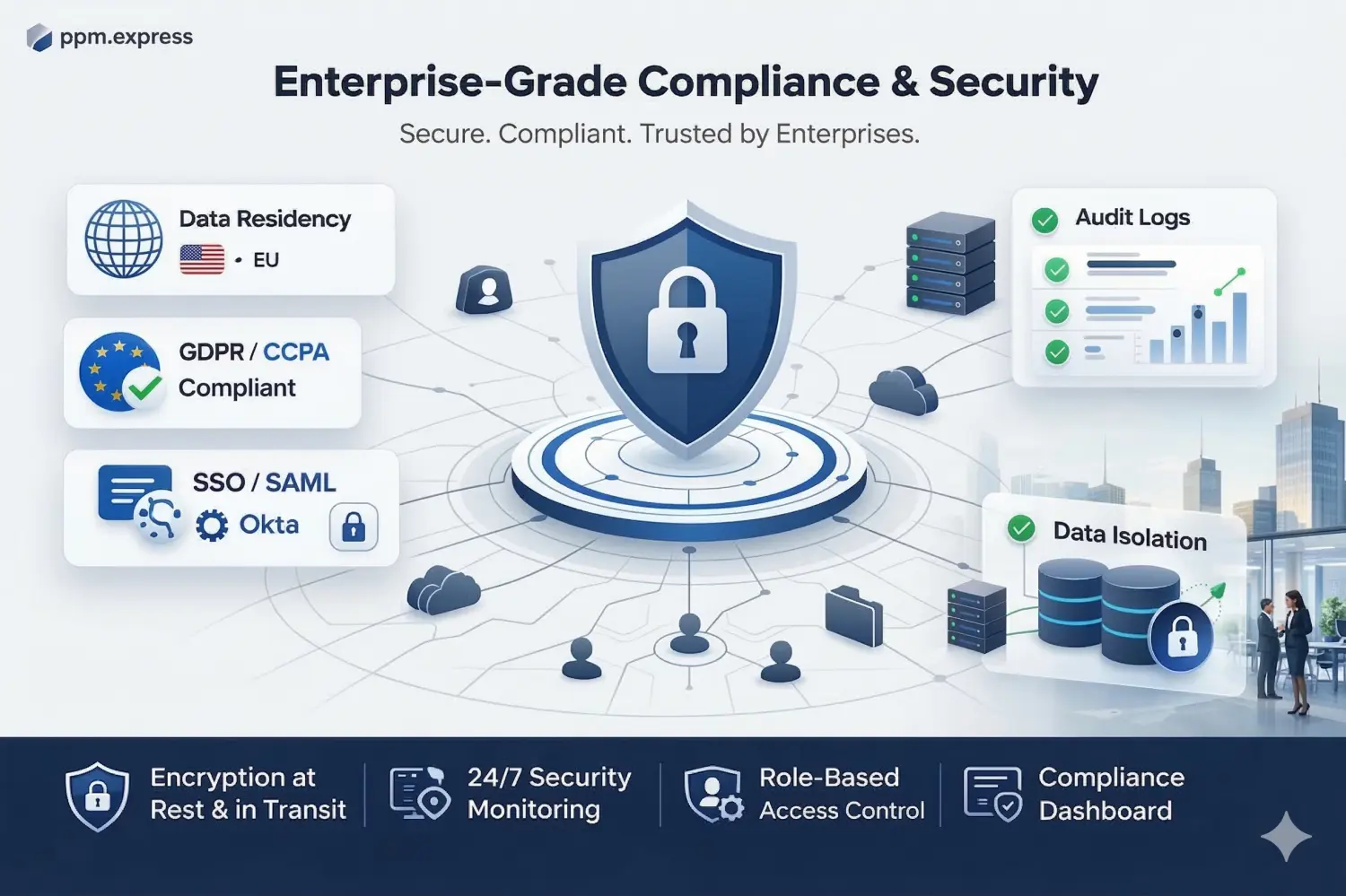
Microsoft 365 or Okta SSO, with centralized user management and advanced permissions.
Azure DevOps, Jira, Microsoft Project, Project Online, Planner, Smartsheet and monday.com, connected one at a time. Each connection reads work-tracking data only — no repositories, no source code — which is usually the shortest part of the security review. Every connection, and what each one reads.
Group projects into portfolios, programs and initiatives that match how the organization is actually run, rather than how the tools happen to be organised. One hierarchy, whatever tool each project is delivered in.
The view refreshes from the work. Status, progress and dates come from the connected tools; budget, capacity, risk and benefit come from the portfolio itself. Nobody exports and nobody reconciles.
Status, dates, budget, forecast, capacity, risk and benefit on every project, defined the same way regardless of which tool the work sits in. Comparison stops being an argument about definitions. Portfolio reporting and analytics.
Status set by rules you configure rather than by whoever last updated the row, so green means the same thing in every portfolio.
Open a project and reach the epics, tasks or sheet rows behind it, in the tool where they actually live.
Read-only portfolio access for executives, sponsors and finance partners — something they look at rather than something you send them.
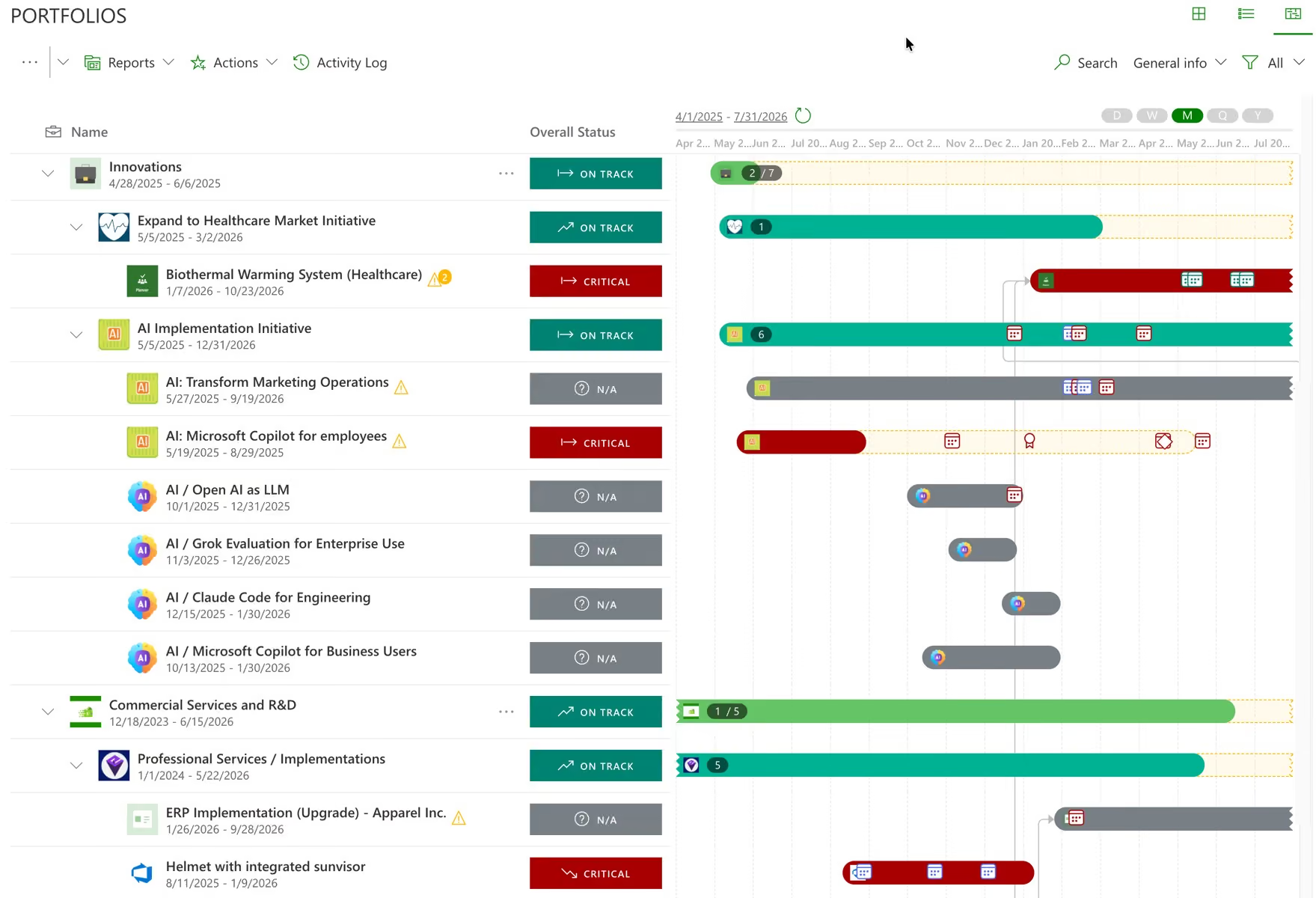
Progress is read from the boards, plans and sheets your teams are already updating. The portfolio cannot drift from delivery, because it holds no separate copy of the truth to drift from. How one connection works, end to end.
The roll-up reflects current activity in the connected tools rather than the moment somebody last built a spreadsheet.
If numbers change upstream after you have built an analysis, PPM Express shows exactly what changed and asks whether to take it, instead of absorbing it silently.
AI-written summaries drawn from live delivery data, so managers stop writing updates about work the system can already see.
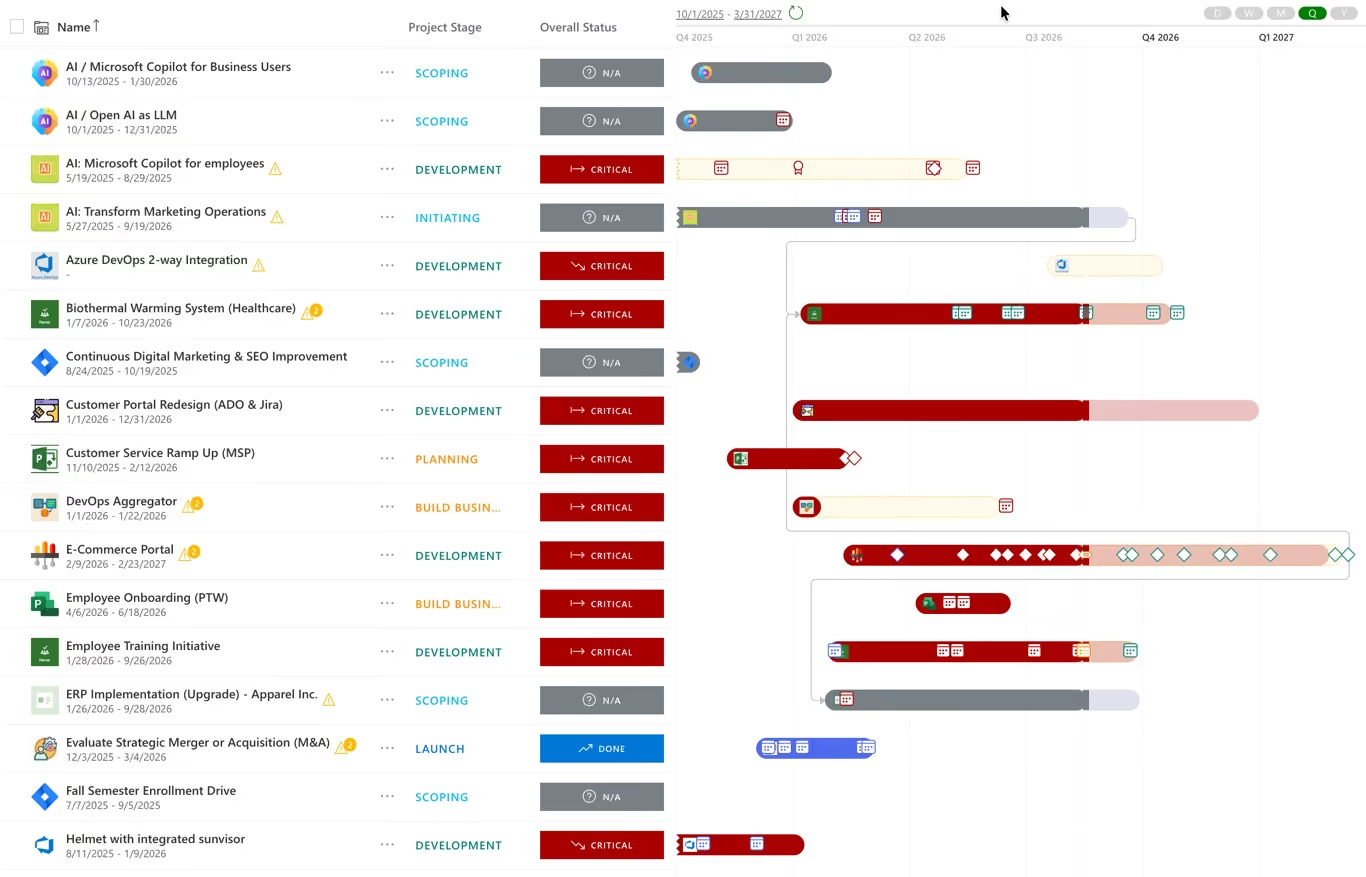
One Gantt across projects from every connected tool, with dependencies and milestones on it. The roadmap and the delivery tools cannot disagree, because the roadmap is drawn from them. Portfolio roadmaps and milestones.
Projects from Jira, Azure DevOps, Microsoft Project and Smartsheet on a single Gantt, with dependencies drawn between them.
Every milestone, owner and due date in one view — updated once, reflected everywhere.
Built from live delivery data, so when the work moves the roadmap moves with it rather than needing to be redrawn.
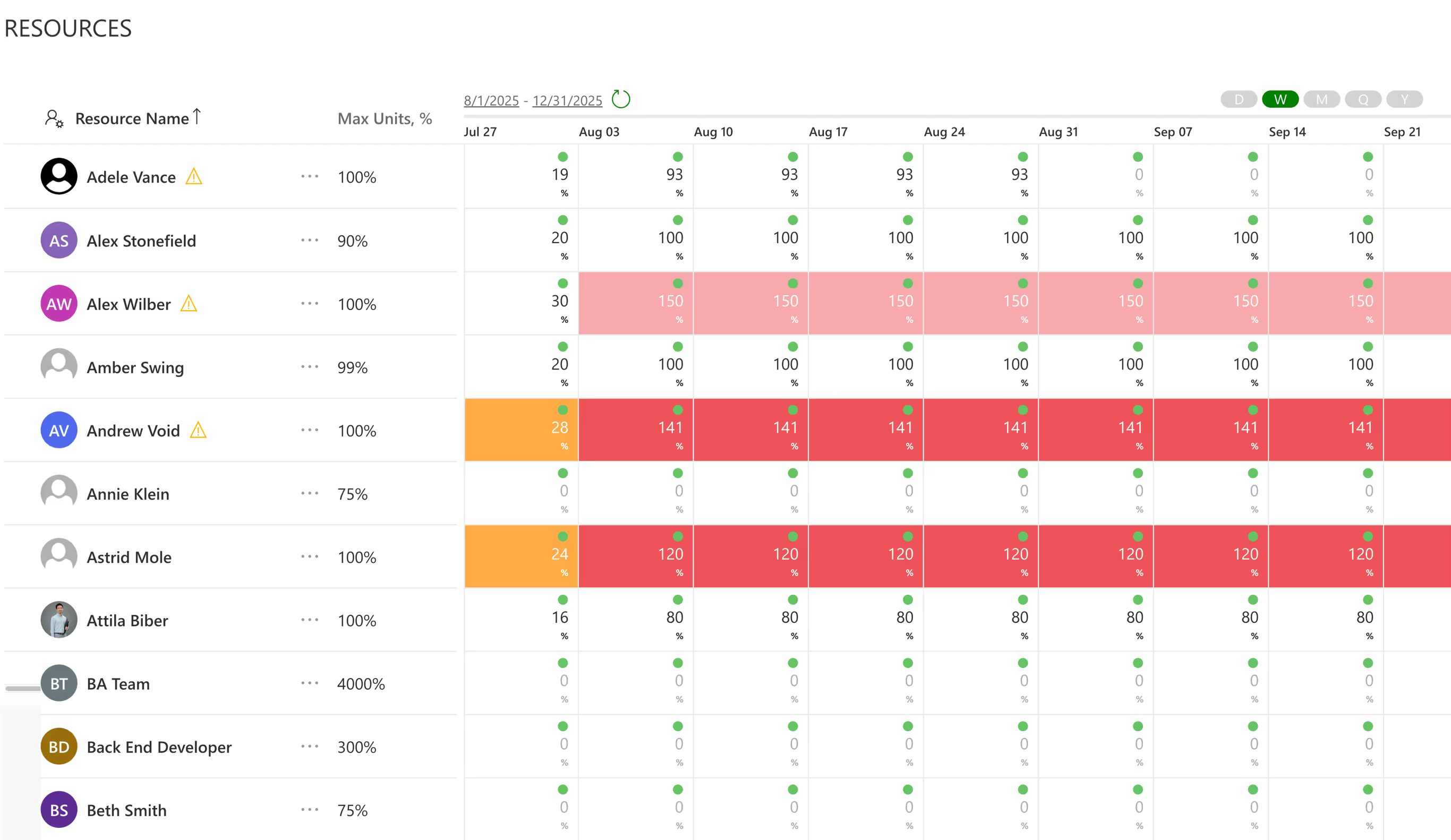
A portfolio view that shows work but not who is doing it answers half the question. PPM Express calculates availability from each person’s work week and calendar exceptions, and shows allocation across every project in the portfolio, whatever tool it is delivered in. Resource capacity planning and utilization.
Who is committed to what, across programs and across tools, in a single pass.
Calculated from real work weeks, calendars and calendar exceptions, not from an assumed eight-hour day.
The specialist appearing in three plans shows up in the portfolio view rather than in next quarter’s slippage.
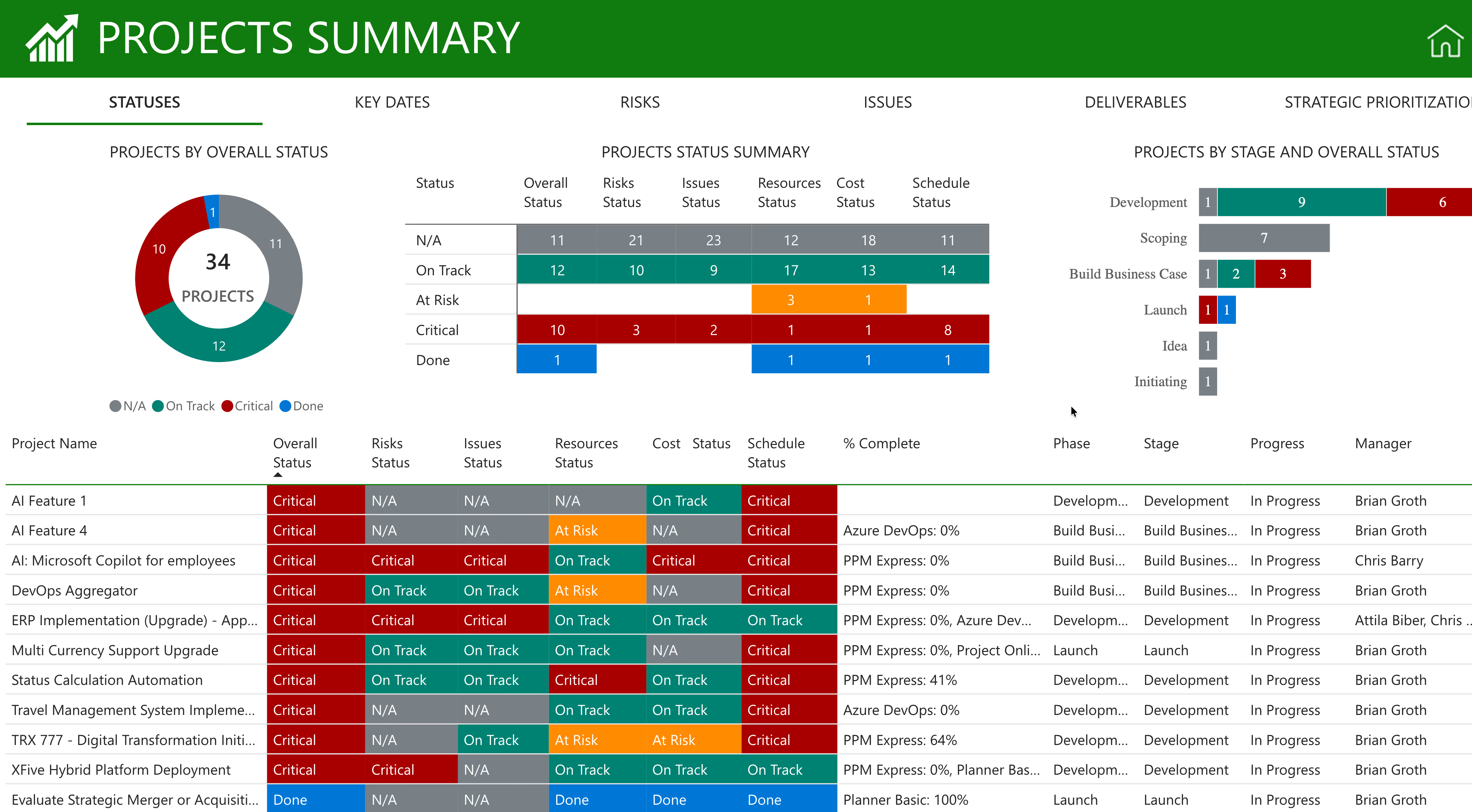
Everything the organization delivers, reported once. Executives, finance and audit read the same numbers, and nobody rebuilds a view per audience. AI status reports written from live data.
Portfolio and project health, risks, issues, costs and capacity — ready to use rather than ready to build.
Azure DevOps, Jira, Microsoft Project, Project Online, Planner, Smartsheet and monday.com, in one portfolio.
For the investment committee, the board and external stakeholders — the same numbers, without a rebuild per audience.
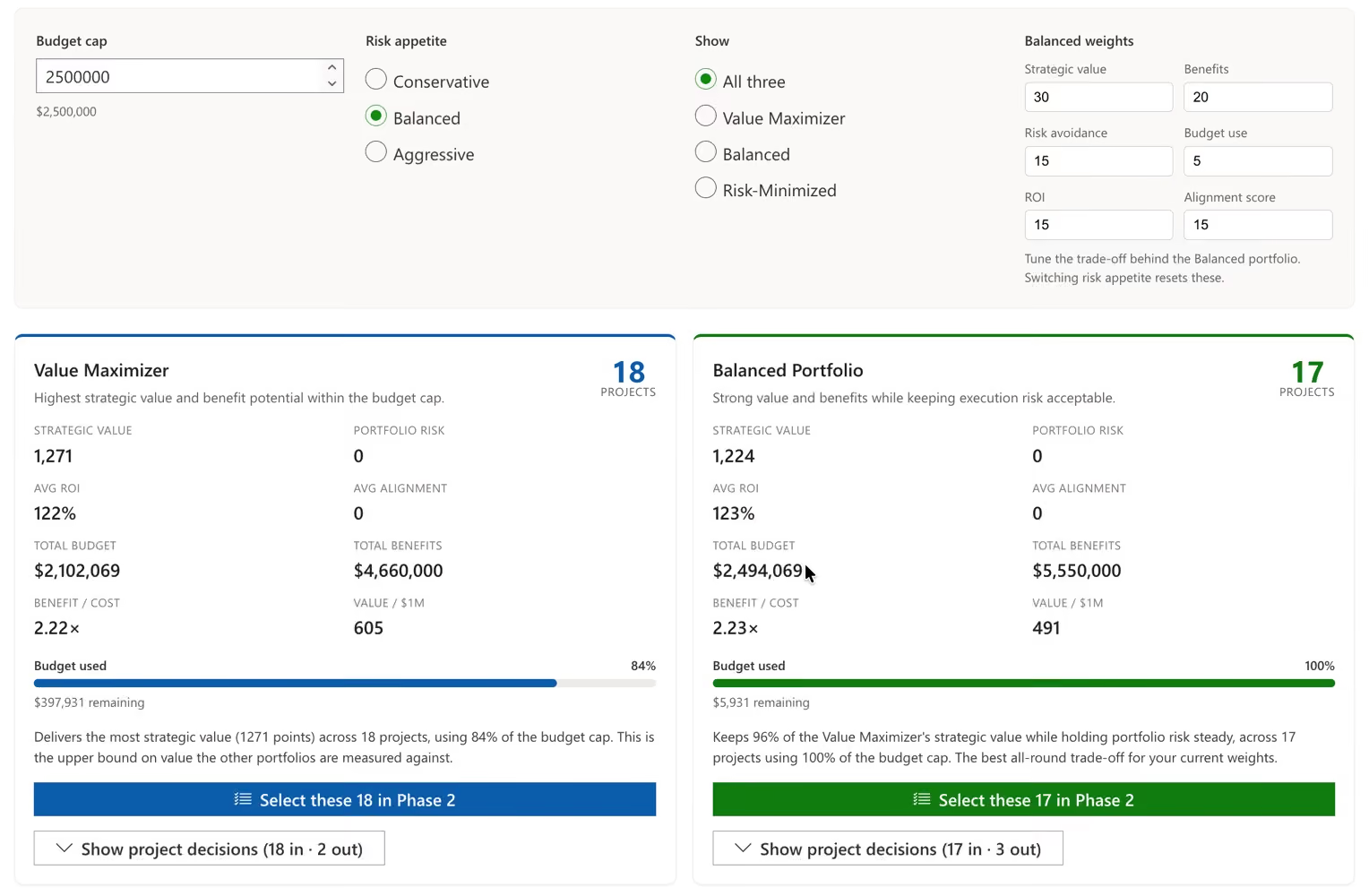
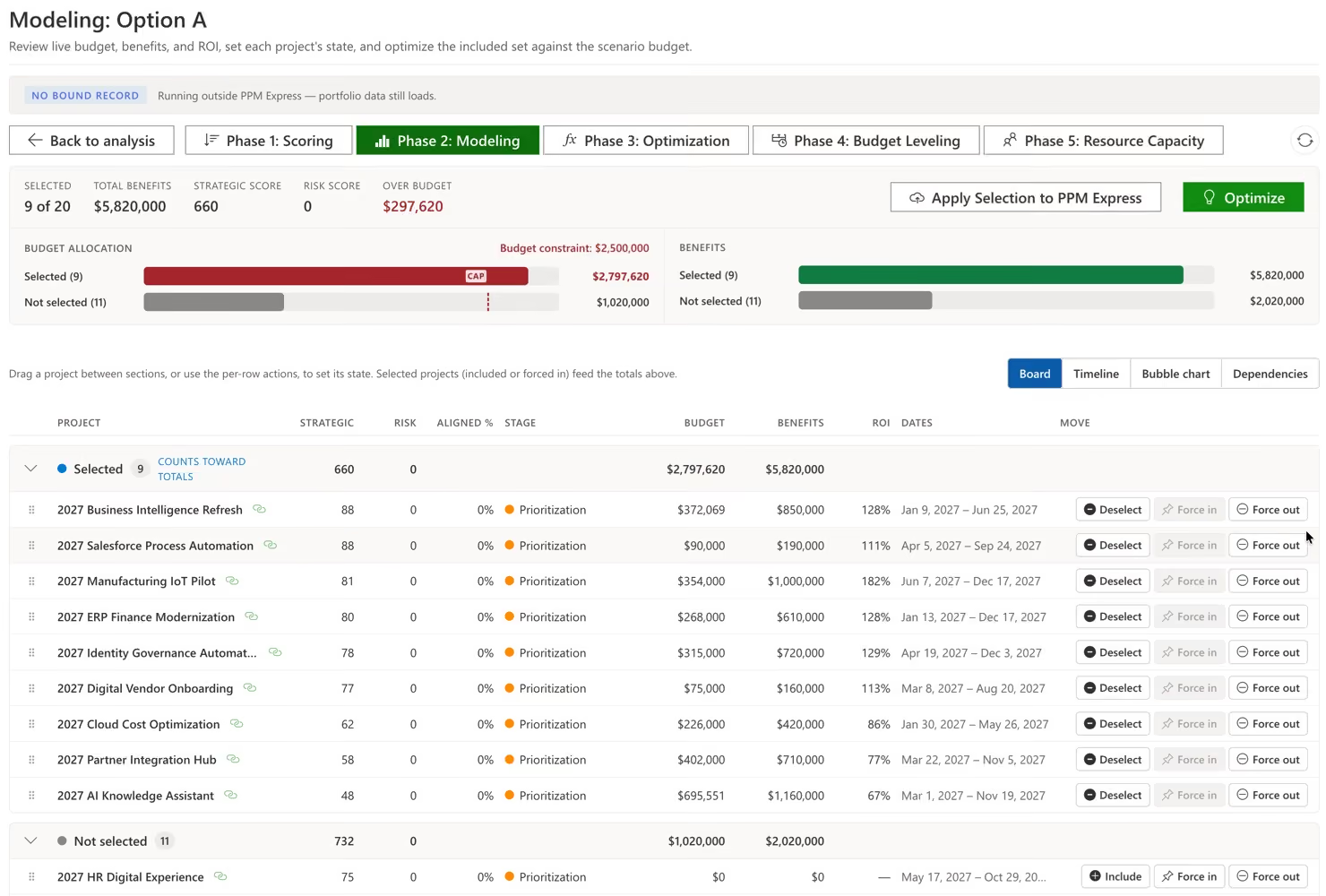
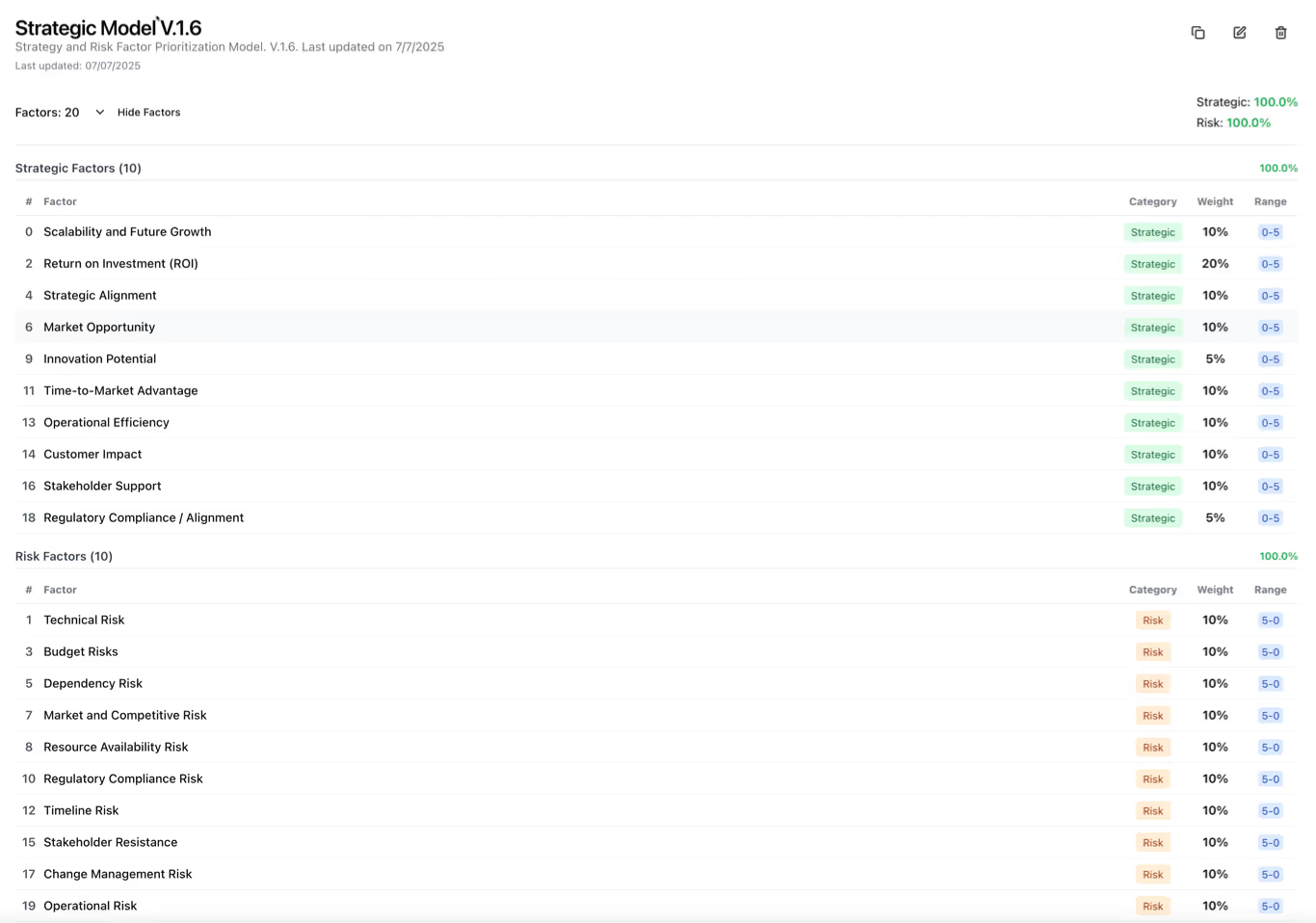
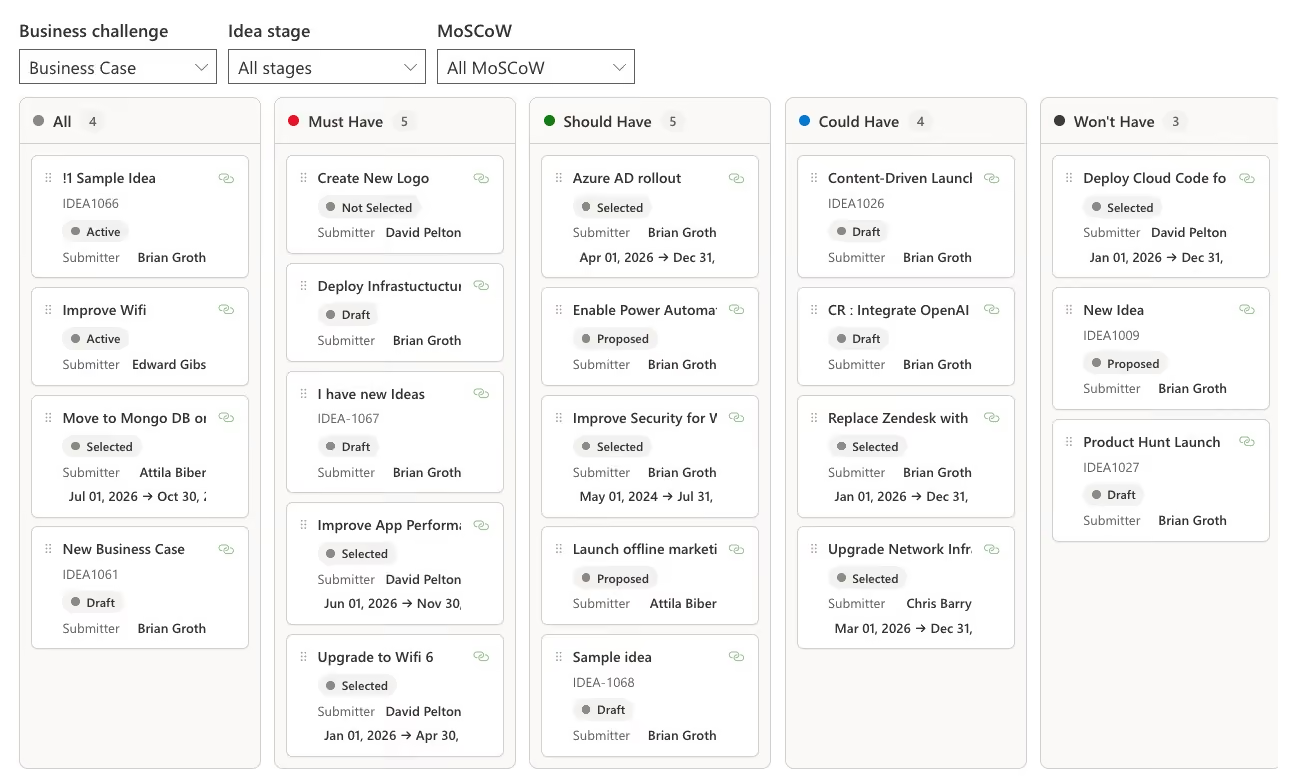
Seeing the portfolio is worth little if nothing can be decided from it. The same view carries intake, prioritization, scenarios and gates, so the meeting that reviews the portfolio is also the meeting that changes it.
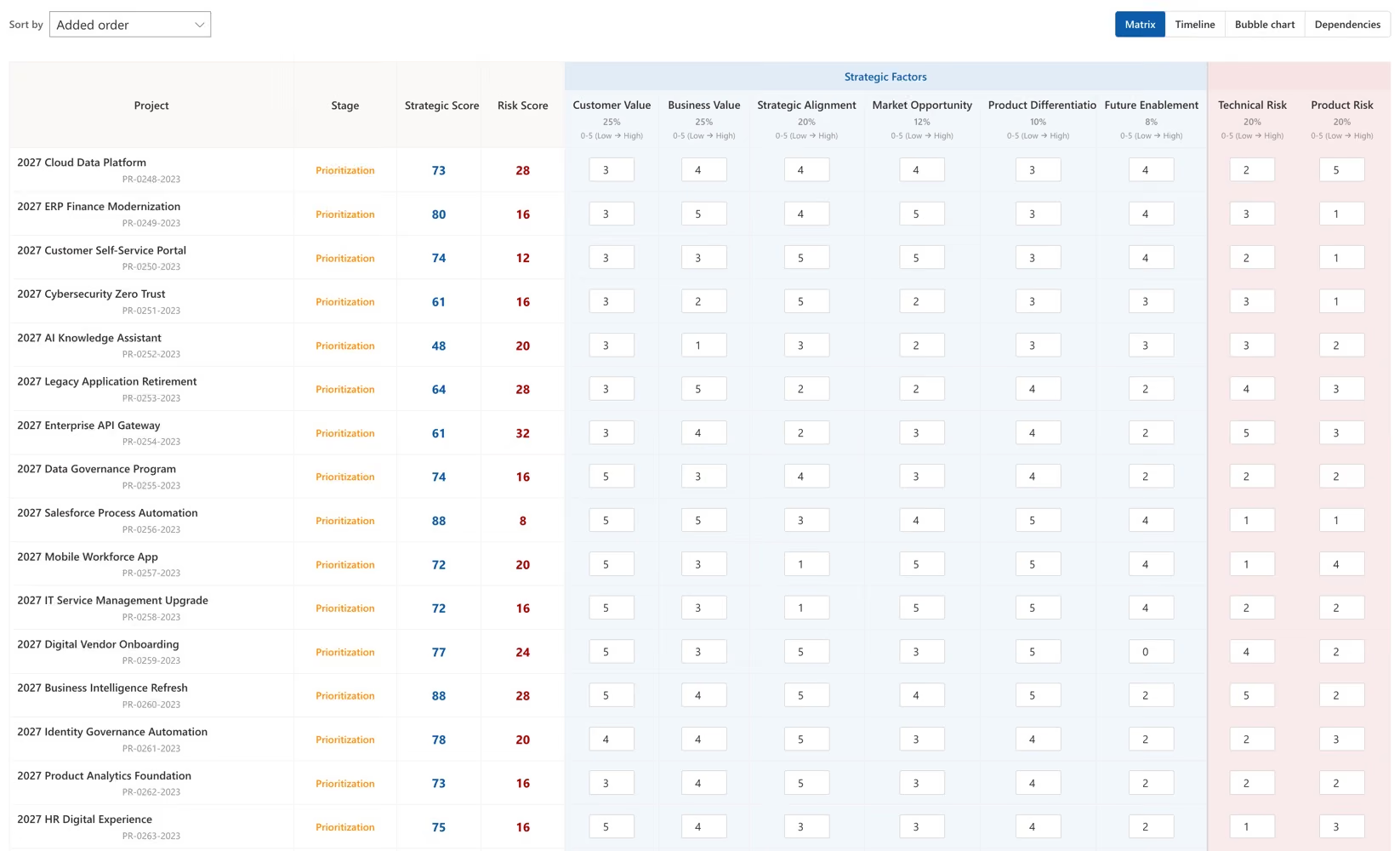
New requests arrive through a structured intake and are scored on the same model as everything already funded, rather than through whoever asked most persuasively. How initiatives are scored and ranked.
Ranking uses the scores, costs and capacity already in the portfolio, rather than a separate exercise assembled for the occasion.
Test a change against the portfolio you are looking at, rather than against a copy of it in a spreadsheet.
Where a two-way connection is configured, agreed changes flow back to the delivery tools instead of stopping at the steering committee.

One of the largest law firms in the United States — over 2,000 attorneys across 14 offices worldwide — governs 7 IT portfolios and more than 200 projects in PPM Express.
Their leadership team does not read a status deck. They work from live dependencies between initiatives, actual progress, timelines and milestones, with reporting generated automatically across all seven portfolios.
What each program is waiting on, not only what it is doing — visible while it is still a dependency rather than a delay.
Taken from the tools the teams already update, so the number in the review is the number on the board.
Generated across all seven portfolios on a schedule, so nobody has to commission a view of the portfolio in order to look at it.
A person spends days each month exporting, reconciling and formatting, and the result is out of date the moment it is circulated.
Anything not already in the pack needs another round of asking, so the follow-up arrives a month behind the question.
Statuses are set by different rules in different systems, and reconciling them is a judgement call nobody writes down.
Leadership reads the portfolio directly, and the days spent building the view each month go back to the people who were building it.
Drill from the portfolio into a project and into the work behind it, without leaving the review.
Status is set by rules everyone can see, so comparing two programs stops being an argument about what amber means.

Govern hundreds of projects across every business unit, tool and team from one place.
Product

Capacity from real work weeks, so over-allocation surfaces before you commit.
Product

Structured Approach for prioritizing and aligning portfolios with strategic priorities and resource constraints
Product
Last updated 20 August 2026
One live portfolio across every tool, answered.
Being able to see every project, its status, cost, capacity and risk in one place without anyone assembling the view first. The second half of that sentence is the part that matters — most organizations can produce a portfolio view; far fewer can produce one that is current, comparable and available on demand.
A dashboard can only show what the underlying data already contains. The hard part is the layer beneath it: a shared portfolio structure, a common definition of status, and the budget, capacity, risk and benefit that the delivery tools do not hold at all. PPM Express provides that layer, and ships more than 200 Power BI reports on top of it.
Azure DevOps, Jira, Microsoft Project, Project Online, Microsoft Planner, Smartsheet and monday.com, plus Microsoft Teams and the Power Platform. Connections are configured one at a time, so a division that is not ready yet does not block the rest of the organization.
It reflects the connected tools rather than the last time somebody built a report. When numbers change upstream after you have already built an analysis, PPM Express shows exactly what moved and asks whether to take it, instead of absorbing the change silently.
No. Teams keep their boards, plans and sheets, and nothing is migrated. Only the people asking portfolio questions need accounts. A portfolio tool that makes delivery teams maintain a second set of records is one holding stale data by the end of the quarter.
Status in the portfolio is set by rules you configure — against dates, progress, budget and risk — rather than by whoever last updated the row. That is what makes two programs delivered in two different tools genuinely comparable.
Yes. Read-only portfolio access exists for executives, sponsors and finance partners, so giving someone visibility does not mean buying them a seat in a delivery tool they will never work in.
They can be created and managed directly in PPM Express. Most enterprises have work that never made it into a tracker at all, and in practice those are frequently the projects the portfolio most needs to see.
Work-tracking data only: projects, tasks, dates, effort, progress and owners. No repositories, no source code, no pipelines and no document contents. That tends to shorten the security review considerably.
The first connection can be running quickly, and the value tends to show up the moment two tools appear in the same view for the first time. The longer part is agreeing the portfolio structure and the status rules — an organizational conversation rather than a technical one.
Yes. One of the largest law firms in the United States — over 2,000 attorneys across 14 offices worldwide — reads 7 IT portfolios and more than 200 projects into one view, with reporting automated across all seven.
What you decide once you can see the whole portfolio. Strategic portfolio management
Test a change against the portfolio you are looking at. Portfolio what-if scenario planning
The people behind every project in the view. Resource capacity planning and utilization
Connect what you can see to what it was meant to achieve. OKRs and strategic objectives
Every delivery tool the portfolio reads from. All PPM Express integrations




.svg)


