
Teams plan and run projects in it directly, with schedules, tasks, dependencies and a timeline you can drag. What makes it different from a standalone tool is what happens next: every project already carries its budget, forecast, benefits and resource plan, so the same record that runs the work also answers to the portfolio. You can also connect projects that live elsewhere, in Jira, Azure DevOps, Microsoft Project, Planner, Smartsheet or Monday.com, and manage the whole set together. Run projects here, run them there, or do both without keeping two sets of books.
No credit card required


250

100 hours

100K+

EU & US


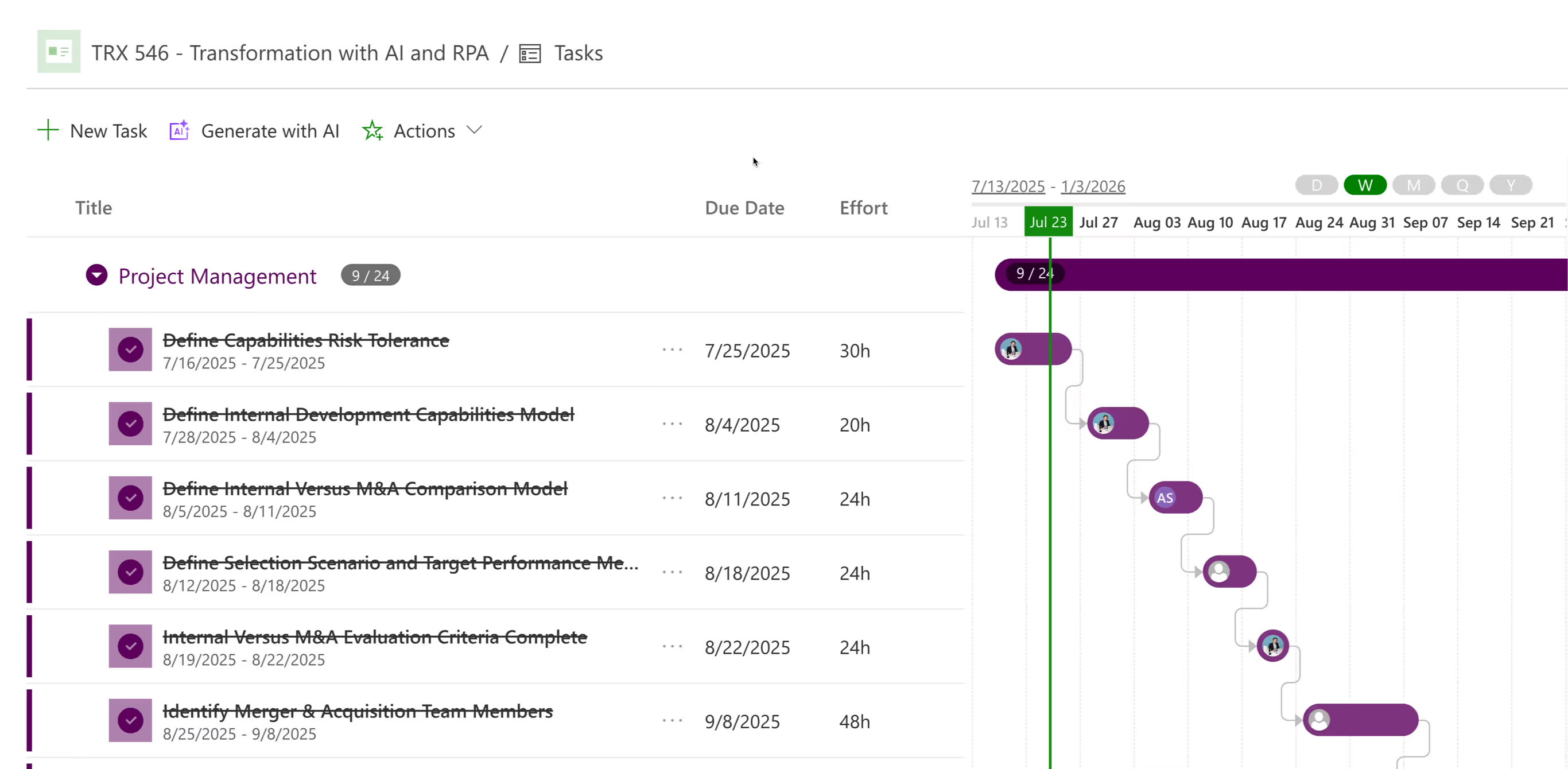
Build Task List / Project Schedule using our Grid Control. Simple to enter and extremelly configurable with standard fields and unlimited customization with fields.
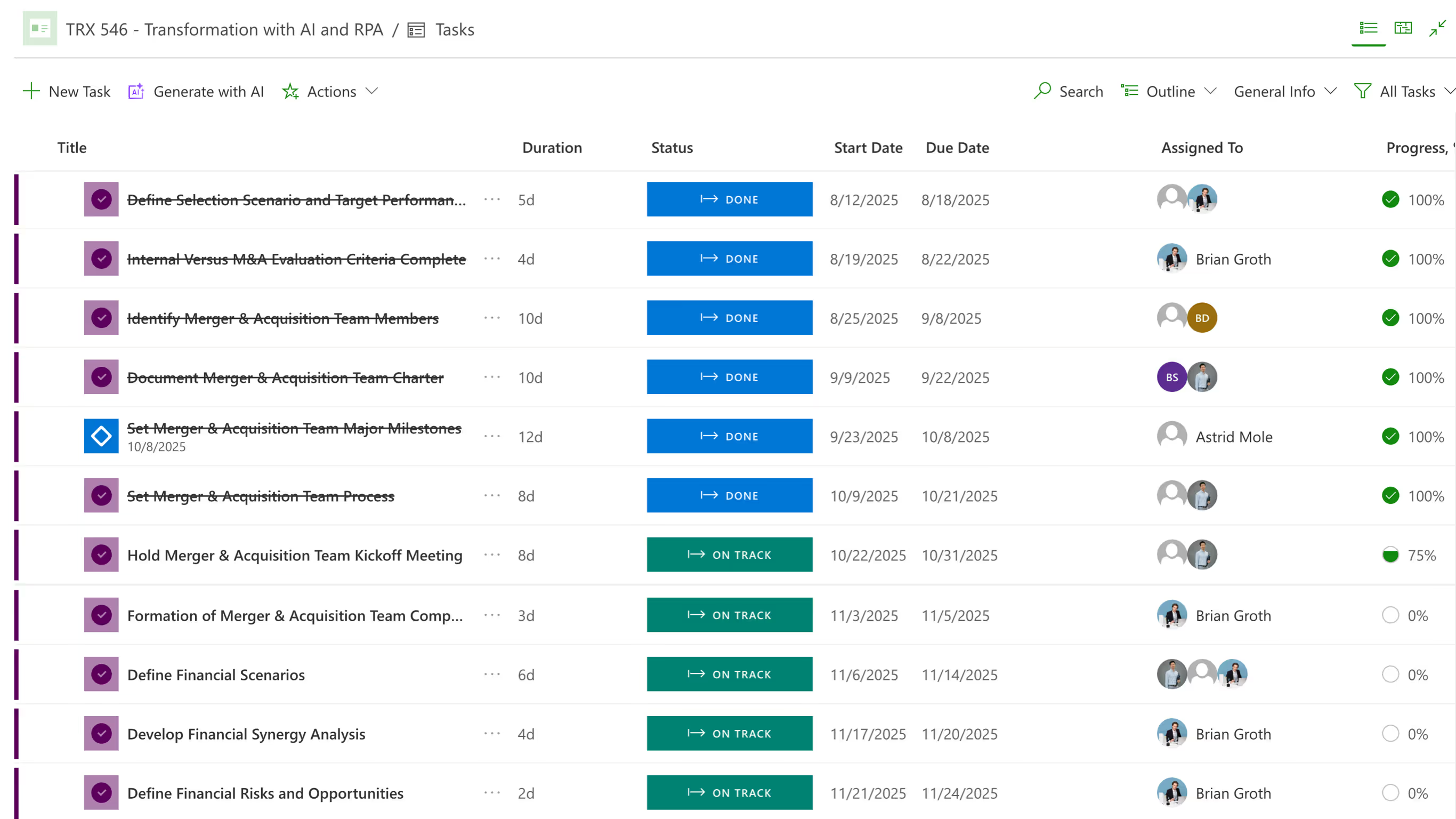
Gantt chart
Visualize project schedule, hierarchy and task dependencies using PPM Express Timeline / Gantt chart.
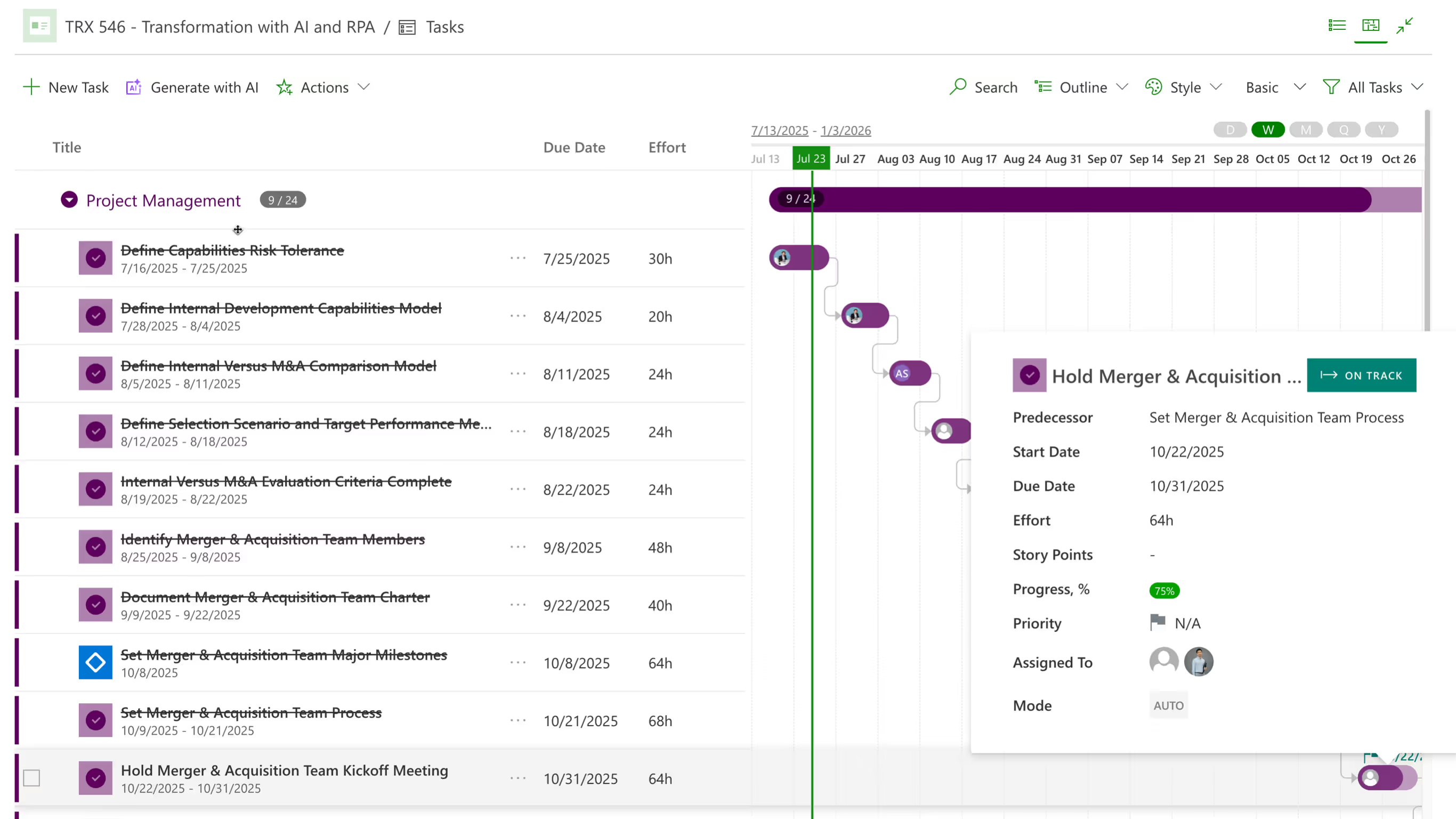
dependencies
Track project dependencies with other projects, ideas and external factors, vendors and stakeholders.
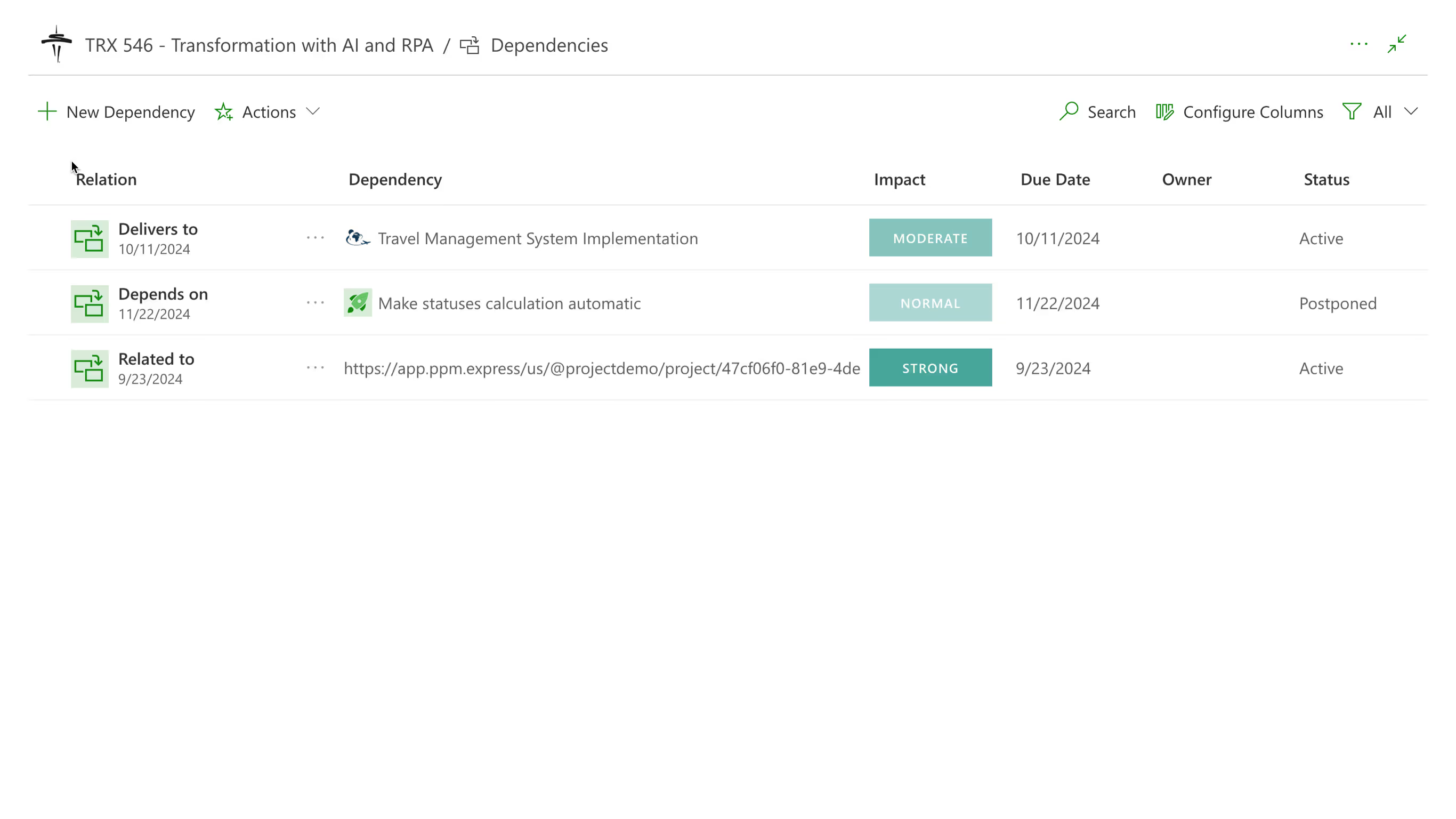
AI-enhanced insights
Enable intelligent AI Insights - smart signals that help project managers to stay on top of their projects and address issues and variances before they become critical.

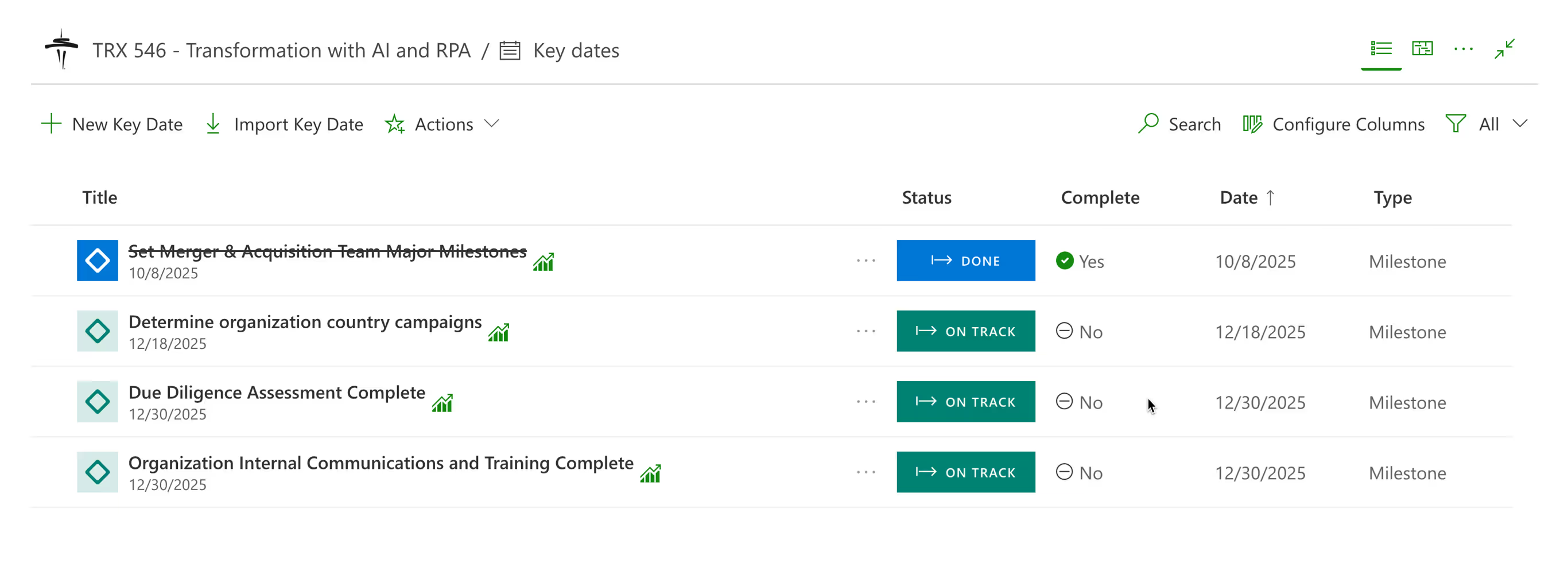
milestone
PPM Express provides ability to track Key Dates for the project. They include Milestones, Key Dates and Release Dates.


No credit card required





Every project, person and dollar in one live view.
Integrations

Capacity from real work weeks, so over-allocation surfaces before you commit.
Product

Portfolio reporting on top of Jira, without changing how teams work.
Integrations
Last updated 20 August 2026
Project Management, answered.
Project management software helps one team deliver one project: tasks, dates, owners, progress. Portfolio management software helps an organization choose between many of them, checking plans against real capacity and budget and tracking benefits after approval. Most enterprises need both, which is why PPM Express does both rather than making you pick.
Both. Projects can be created and run natively, with tasks, dependencies, hierarchy and a timeline you can edit by dragging. Or they can be connected from another tool and managed alongside. Many organizations end up mixed, with delivery teams in Jira or Azure DevOps and the rest of the business working directly in PPM Express.
Table, Timeline and Workload. The timeline behaves like a Gantt chart, with dates adjustable by dragging and dependencies between tasks. Views can be customized and filtered, so a project manager and an executive can look at the same project without looking at the same screen.
Yes, and most enterprises have to. Nothing in the scoring, capacity or benefits model assumes sprints or story points. A phased capital project planned in Microsoft Project and a product line running in Jira sit in the same portfolio and are compared on the same basis.
No. There is no migration step. Connections read from the tools you already use, and the portfolio fills from live projects. Schedules built in Microsoft Project Desktop can also be published in through the Project Publisher add-in, arriving as tasks you can then edit natively.
Tasks carry dates, dependencies and hierarchy up to ten levels, editable inline or on the timeline. For plans imported from Microsoft Project Desktop, the limits are worth knowing up front: up to 2,000 tasks and ten levels of hierarchy per published plan.
PPM Express includes AI-driven insights and risk prediction across the portfolio. Treat it as an assistant that surfaces things worth a second look rather than a decision-maker. The governance decisions, the scoring model and the funding calls stay with the people accountable for them.
PPM Express Enterprise is $8,000 per year and PPM Express Ultra is $25,000 per year, both annual subscriptions with a flat price for unlimited users rather than per seat. For a growing team that structure matters more than the headline figure, since adding people does not change what you pay.
.svg)


